
Appearance
Affiliate Settings
The Settings page lets you control how your affiliate program works — from commission rates and cookie duration to who can join and how commissions are approved.
Opening Settings
- In the left sidebar, click Affiliate → Settings.
Setting Your Default Commission Rate
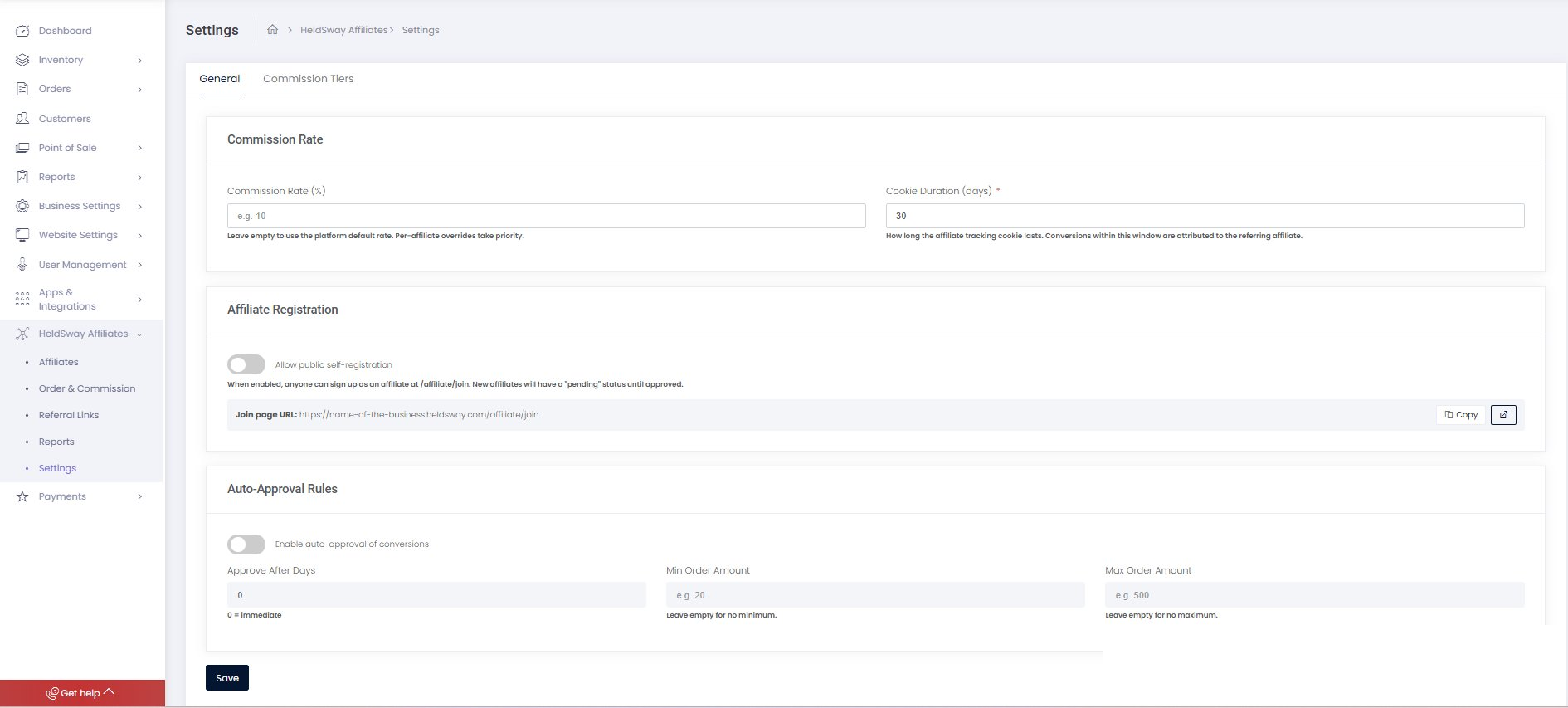
- In the Commission Rate (%) field, enter the percentage you want to pay on every qualifying booking.
- Leave the field blank if you want to use the default rate set by the platform.
- Click Save Changes.
Tip: You can override this rate for individual affiliates from their profile page. Individual rates always take priority over the default rate.
Setting the Cookie Duration
The cookie duration controls how long after clicking a referral link a booking will still be credited to that affiliate.
- In the Cookie Duration (days) field, enter the number of days. The default is 30.
- Click Save Changes.
Affiliate Registration Settings
- Find the Affiliate Registration section.
- Toggle Allow public self-registration on to let anyone sign up as an affiliate using your public join page.
- Toggle it off to require all affiliates to be added manually by you.
- Click Save Changes.
Auto-Approval Rules
Auto-approval means the system will automatically approve commissions that meet your criteria, saving you time.
- Toggle Enable auto-approval on.
- In Approve after (days), enter the number of days to wait before approving. Enter
0for immediate approval. - Optionally set a Minimum order amount to only auto-approve bookings above a certain value.
- Optionally set a Maximum order amount to only auto-approve bookings below a certain value.
- Click Save Changes.
Commission Tiers
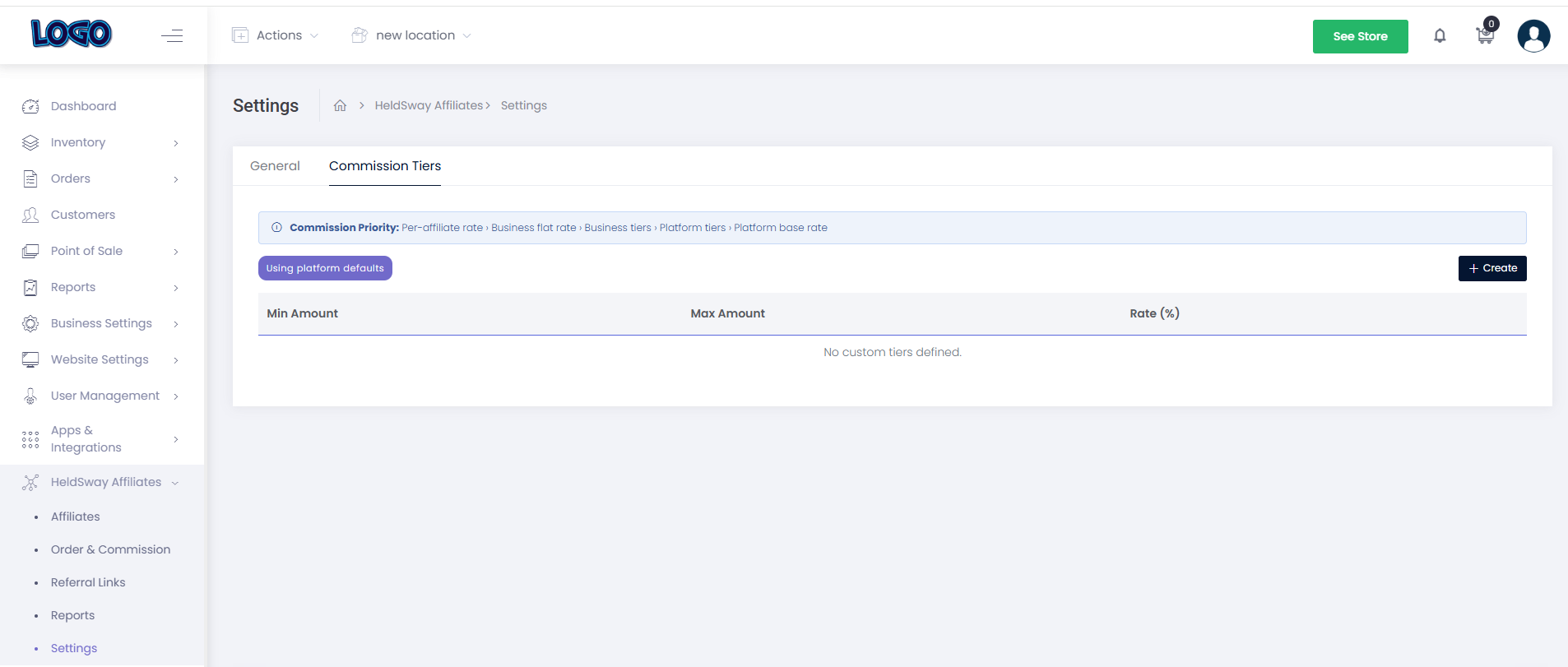
Commission tiers let you automatically pay higher rates for larger bookings. For example, you could pay 5% on bookings under $100 and 10% on bookings over $100.
- Click the + Add Tier button.
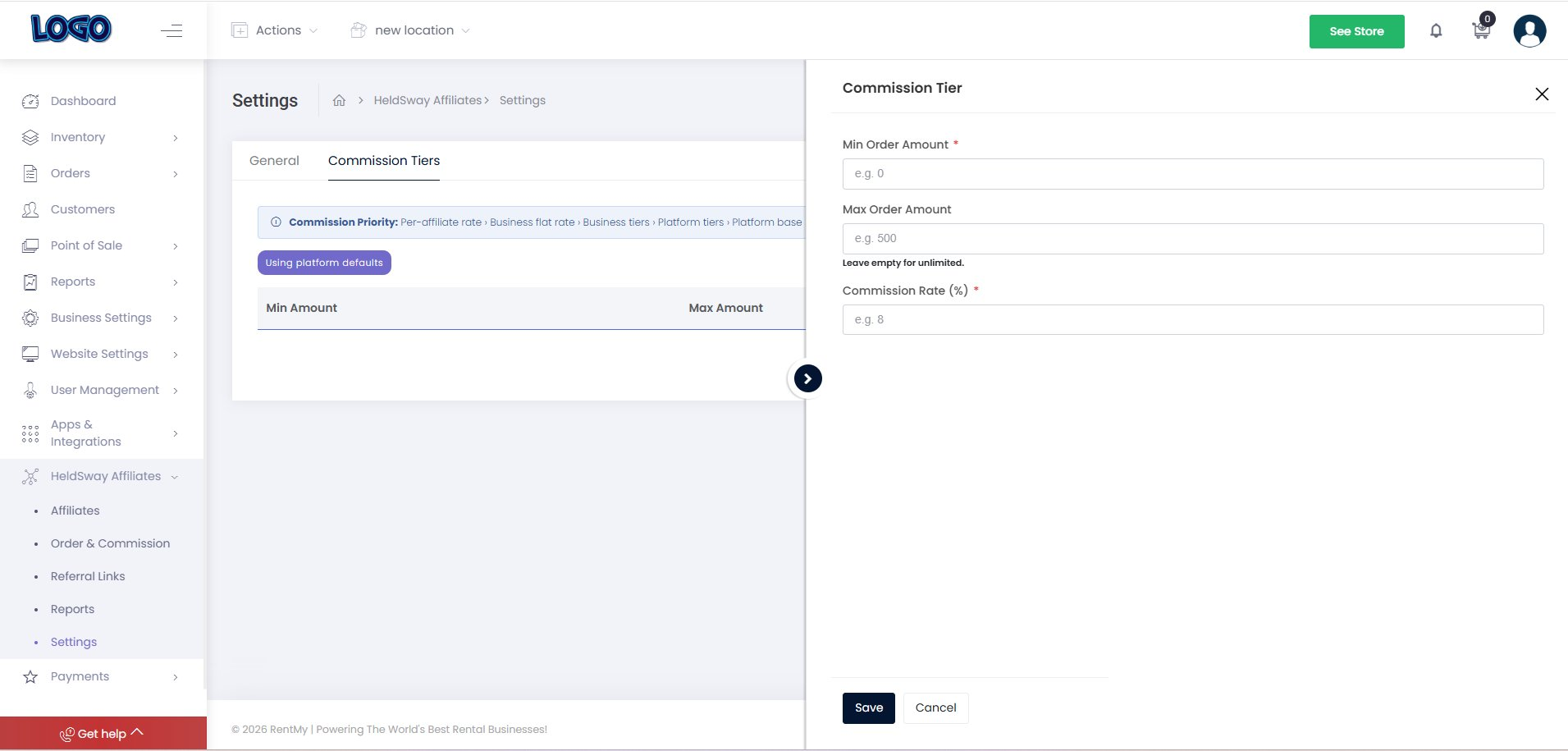
- Enter a Minimum Amount and Maximum Amount for the tier.
- Enter the Commission Rate (%) for that range.
- Repeat to add more tiers. Click Save Changes when done.
What happens next: When a qualifying booking comes in, the system checks the booking amount against your tiers and applies the correct commission rate automatically.