Appearance
Connecting Your Store to Heldsway
Before you can use any affiliate features, you need to connect your RentMy store to the Heldsway platform. This is a one-time setup. Heldsway verifies your business details and then issues a secure access token to activate your program.
Where to Find This Setting
- Log in to your RentMy admin panel.
- In the left sidebar, click Business Settings.
- Click Website Settings from the sub-menu.
- Select Analytics from the list.
- Scroll down to the Affiliate Support section at the bottom of the page.
How to Connect
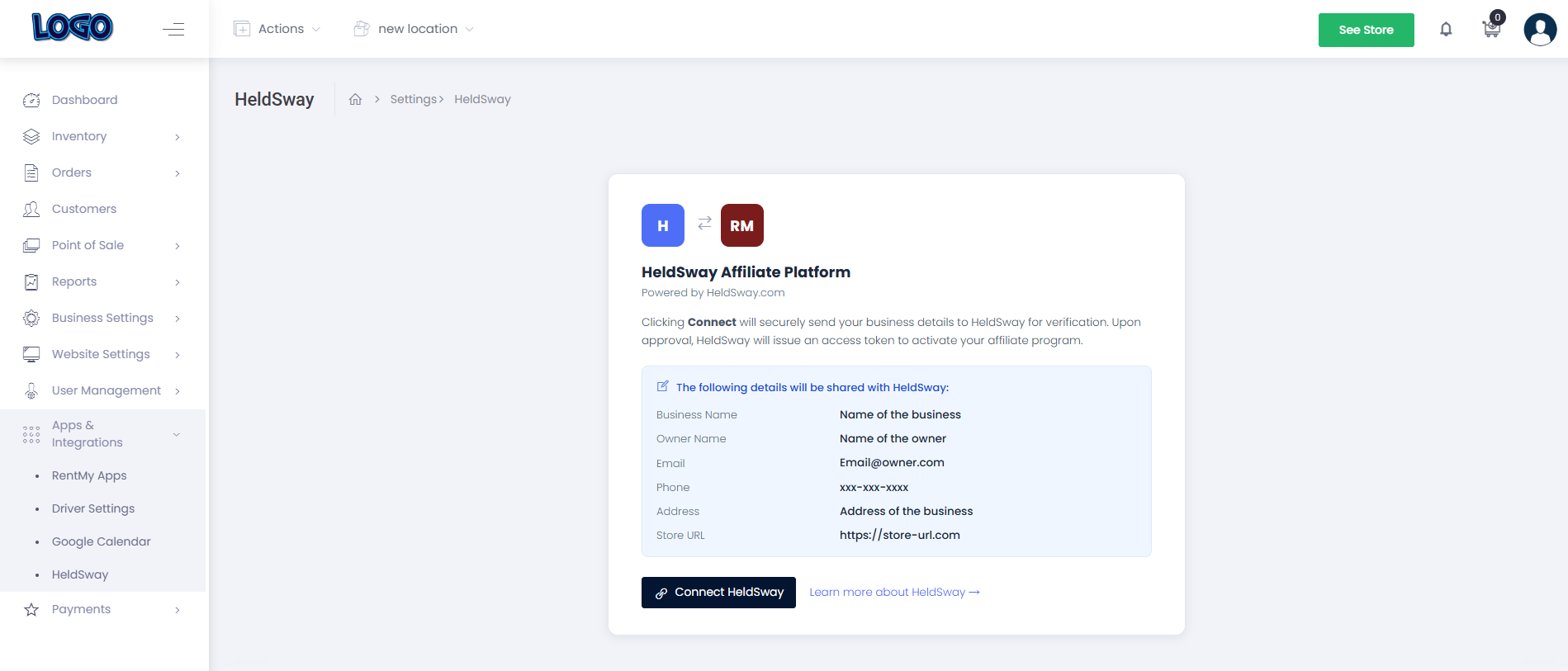
- In the Affiliate Support section, you will see your business details listed — name, owner, email, phone, and address.
- Review the details to make sure they are correct.
- Click the Connect Heldsway button.
- RentMy will send your business details securely to Heldsway for verification.
- Heldsway reviews your details and issues an access token. This usually happens within a few minutes.
- Once approved, the section will show a Connected status with a green indicator.
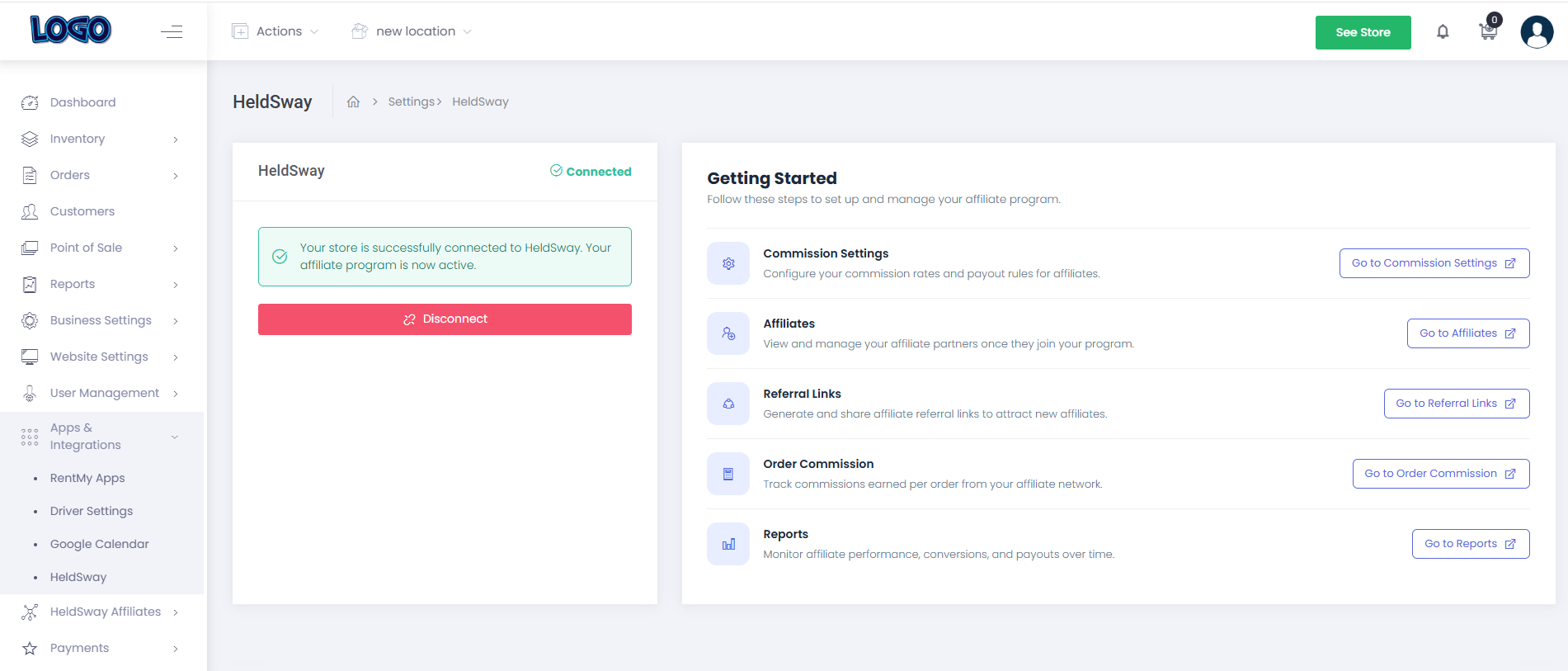
What happens next: Your affiliate program is now active. You will see a new Affiliate section appear in your left sidebar, giving you access to all affiliate management tools.
If You Need to Disconnect
- Return to Website Settings → Analytics → Affiliate Support.
- Click Disconnect to remove the connection.
Important: Disconnecting will pause your affiliate program. Affiliates will not be able to earn commissions until you reconnect.