
Appearance
Managing Your Affiliates
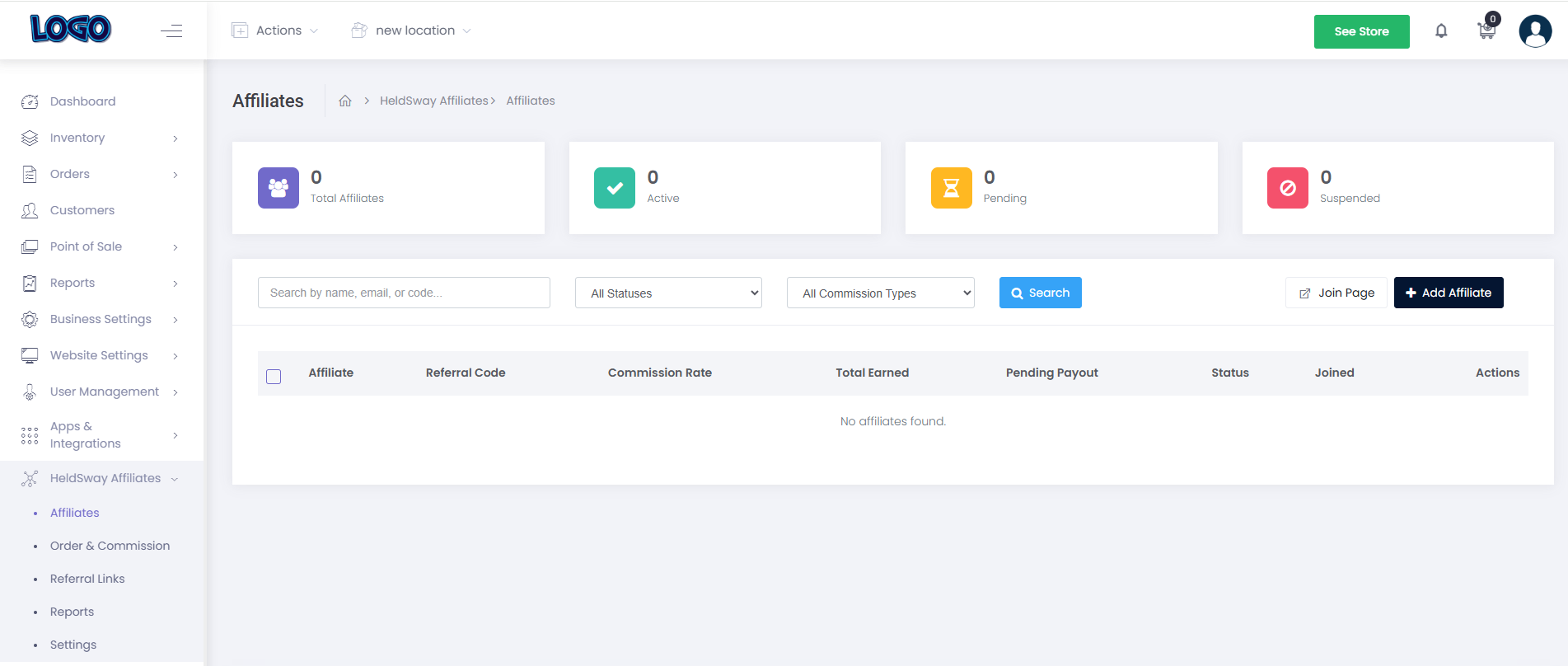
The Affiliates page gives you a complete view of everyone in your program. You can see who is active, who is waiting for approval, and how each person is performing.
Viewing the Affiliates List
- In the left sidebar, click Affiliate → Affiliates.
- You will see four summary cards at the top of the page:
- Total Affiliates — everyone in your program.
- Active — affiliates who are currently earning commissions.
- Pending — new applicants waiting for your approval.
- Suspended — affiliates who have been temporarily paused.
Below the cards, you will find a table listing all your affiliates with columns for name, referral code, commission rate, total earned, pending payout, status, and join date.
Searching and Filtering
- Use the search bar to find an affiliate by name, email address, or referral code.
- Use the All Statuses dropdown to filter by Active, Pending, Suspended, or Terminated.
- Use the All Commission Types dropdown to filter by Default or Custom Rate.
Adding an Affiliate Manually
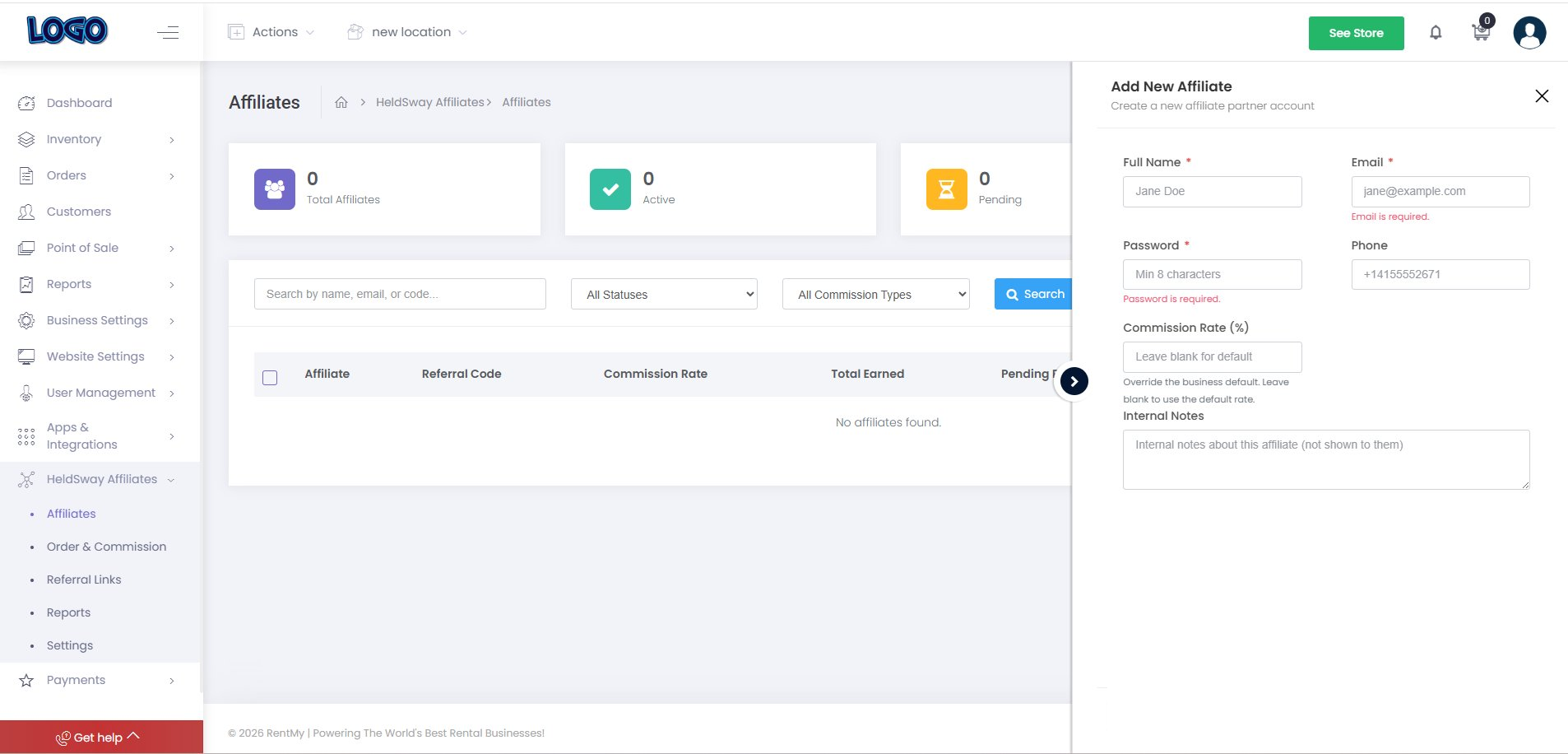
- Click the + Add Affiliate button in the top-right corner.
- Enter the affiliate's name, email address, and any other requested details.
- Set a commission rate if you want to give this person a different rate from your default.
- Click Save to add them to your program.
Tip: You can also share a public join link so affiliates sign up themselves. See Section 9 for details on the Affiliate Join Page.
Exporting Your Affiliate List
- Click the Export CSV button in the top-right area of the table.
- Your browser will download a spreadsheet file with all affiliate data.